LinkedIn Post Format: The Complete Guide for 2026
LinkedIn Post Format: The Complete Guide for 2026
You spend time writing on LinkedIn, but you're never sure if you've chosen the right LinkedIn post format? Plain text, carousel, video, poll: each format follows different rules and serves distinct objectives. Choosing the wrong one means losing reach before the content is even read.
This guide explains concretely each format available on LinkedIn in 2026, when to use it, how to structure it, and mistakes to avoid. No empty theory: actionable criteria so your next post performs right from publication.
LinkedIn Post Formats Available in 2026
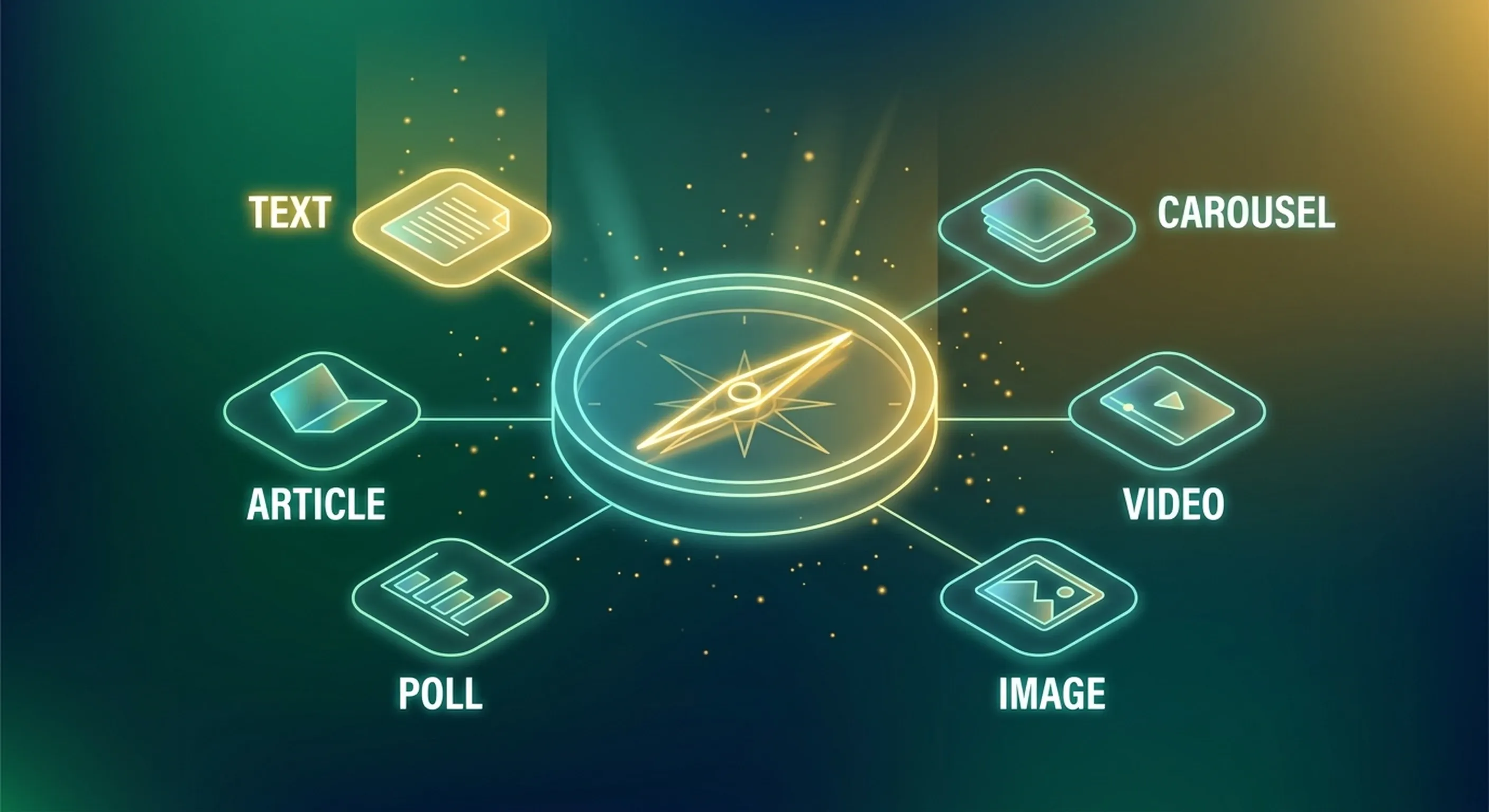
LinkedIn currently offers six main formats. Each is treated differently by the algorithm and generates a specific type of engagement.
Native Text Post
This is the basic format and often the most effective for building an organic audience. A native text post is only text, with no image, no external link in the body of the post, no attachment.
Why does it work? LinkedIn favors content that keeps users on the platform. A post without an outbound link does not encourage leaving. The algorithm interprets it as a quality signal and grants it more initial reach.
The ideal length is between 150 and 300 words for a "short impact" post, or between 700 and 1,200 characters for a narrative post. Beyond that, the text is truncated after three lines, the famous "see more." This cut is not a handicap: it's your first engagement filter. People who click "see more" send a strong signal to the algorithm.
Recommended structure: a hook on the first line, alone, impactful, then development in short paragraphs of one to three lines, separated by line breaks. End with a question or a clear call to action.
To delve deeper into the structure of an effective text post, check out the ideal structure of a LinkedIn post in 2026.
Carousel (PDF Document)
The carousel is a PDF file uploaded directly to LinkedIn. It appears as a scrolling slideshow, slide by slide. It's the format with the best save rate and one of the most effective for generating qualified engagement.
A well-constructed carousel follows this logic:
- Slide 1: catchy title, following the same rule as the hook of a text post
- Slides 2 to N-1: one clear point per slide, little text, strong visuals
- Last slide: clear CTA (follow the account, comment, go to a resource)
The optimal length is between 8 and 15 slides. Below, the format loses its interest. Beyond 20, you risk losing attention before the last slide.
The carousel works particularly well for: lists ("5 mistakes to avoid"), mini-tutorials, condensed case studies, summaries of long content.
Native Video
A video uploaded directly to LinkedIn (not a YouTube link) benefits from favorable algorithmic treatment. LinkedIn wants to compete with video platforms, so it pushes the format.
Criteria that matter in 2026:
- Duration: between 30 seconds and 3 minutes for most objectives
- Subtitles: mandatory (70% of videos are watched without sound)
- Visual hook in the first 3 seconds, with no brand intro
The "selfie" or "talking head" video generates more engagement than high-production-value videos. Authenticity trumps polish.
Image Post
An image or infographic accompanied by text. This format is more versatile than it seems, but often misused: many add a generic image to "dress up" a text post. It's counterproductive: the image dilutes readability without adding value.
Use this format when the image is the main content: a formatted quote, an infographic with data, a photo with a strong narrative context. The image must bring what the text alone cannot show.
Poll
The poll generates mechanical engagement (everyone has an opinion), but low-quality engagement. It is useful for testing hypotheses with your audience, creating quick interaction, or starting a conversation in the comments.
Limit: it does not showcase your ability to produce valuable content. Use it as a complement, not as the main format of your strategy.
Native LinkedIn Article (Long-form)
LinkedIn offers an integrated article editor. These articles are indexed by Google and appear in the "Articles" tab on the profile. However, their organic reach on the feed is low compared to short posts.
In 2026, the native article makes sense if you want to: appear in Google results on your name, create a reference resource accessible from your profile, or recycle long-form content.
Formatting: The Rules That Make a Difference
Whatever LinkedIn post format you choose, formatting determines whether your text is read or scrolled.
Line Breaks
LinkedIn does not handle long blocks of text. A 10-line paragraph without breaks is automatically scrolled. The rule: maximum 3 lines per block, then a line break.
It's not a matter of style, it's ergonomics. The reader scans before reading. If the text is airy and scannable, they stop. Otherwise, they pass.
Emojis
Emojis are neither mandatory nor forbidden. They are a formatting tool: they replace bullet points, create visual markers, give rhythm. Used excessively, they signal a lack of confidence in the content itself.
Practical rule: zero emoji in the hook (the first line must carry everything alone). One to two emojis maximum per text post. In a carousel, they can be more present since each slide is a visual space.
Length According to the Objective
| Objective | Recommended Length |
|---|---|
| Awareness / Virality | 150-400 words |
| Authority / Expertise | 500-800 words |
| Narration / Storytelling | 700-1,200 words |
| Educational Carousel | 8-15 slides |
| Video Engagement | 30s - 3 min |
If you regularly lack ideas or don't know what to post, this article on LinkedIn post ideas will give you concrete methods to never run out.
Links in the Body of the Post
This is the most misunderstood point. A link in the body of a text post reduces its reach: LinkedIn penalizes content that takes the user off the platform. The solution: put the link in the first comment and mention it in the post ("link in comment").
For a carousel or video, this constraint is less strong, but the best practice remains to keep the body of the post clean and without URLs.
Choosing the Right Format According to Your Objective
There is no "best" universal LinkedIn post format. There is the format suited to your current objective.
You Want to Build Your Authority
Long native text post (storytelling, taking a stand, lesson learned from experience). It's the format that creates human connection and establishes your credibility over time.
You Want to Educate or Teach
Carousel. Clear structure, one idea per slide, concrete. The carousel is saved and shared: it's the format with the best lifespan.
You Want to Generate Conversation
Short text post + final question. A sharp observation followed by an open question generates the most engaged comments.
You Want to Reach a New Audience
Short native video (30-90 seconds). The video format benefits from extended distribution by the algorithm, especially to non-subscribers.
If your content strategy is not delivering the expected results, check out our diagnosis of LinkedIn posts that don't work: the most common causes are detailed there.
Integrating Formats into a Coherent Strategy
Alternating formats is not posting randomly. It's planning a sequence that serves a purpose.
An effective rhythm for a founder or CEO who posts 3 times a week:
- 2 native text posts (authority, storytelling, taking a stand)
- 1 carousel or video (educational, high practical value)
This mix maximizes both organic reach (native text) and qualified engagement (carousel/video). You don't need to produce all formats, you need to master two or three and use them with intention.
To go further on LinkedIn content strategy as a whole, the complete guide to LinkedIn content in 2026 covers all aspects: algorithm, calendar, formats, and measuring results.
If you want to speed up production without sacrificing quality or your voice, the Suma AI LinkedIn post generator allows you to create posts adapted to each format in minutes, whether native text, carousel, or video script. And to maintain a regular cadence without thinking about it, the content scheduling tool allows you to schedule your posts in advance.
Key Takeaways
The LinkedIn post format is not an aesthetic detail. It's a strategic decision that determines your reach, engagement, and perception of your expertise.
Start by mastering the native text post: it's the foundation. Add the carousel for educational content. Test short video to expand your reach. And for each post, ensure that formatting (line breaks, length, absence of link in the body) doesn't sabotage otherwise solid content.
Regularity beats perfection. Publish, observe what resonates, adjust the format accordingly.