LinkedIn Statistics: How to Measure Your Performance in 2026
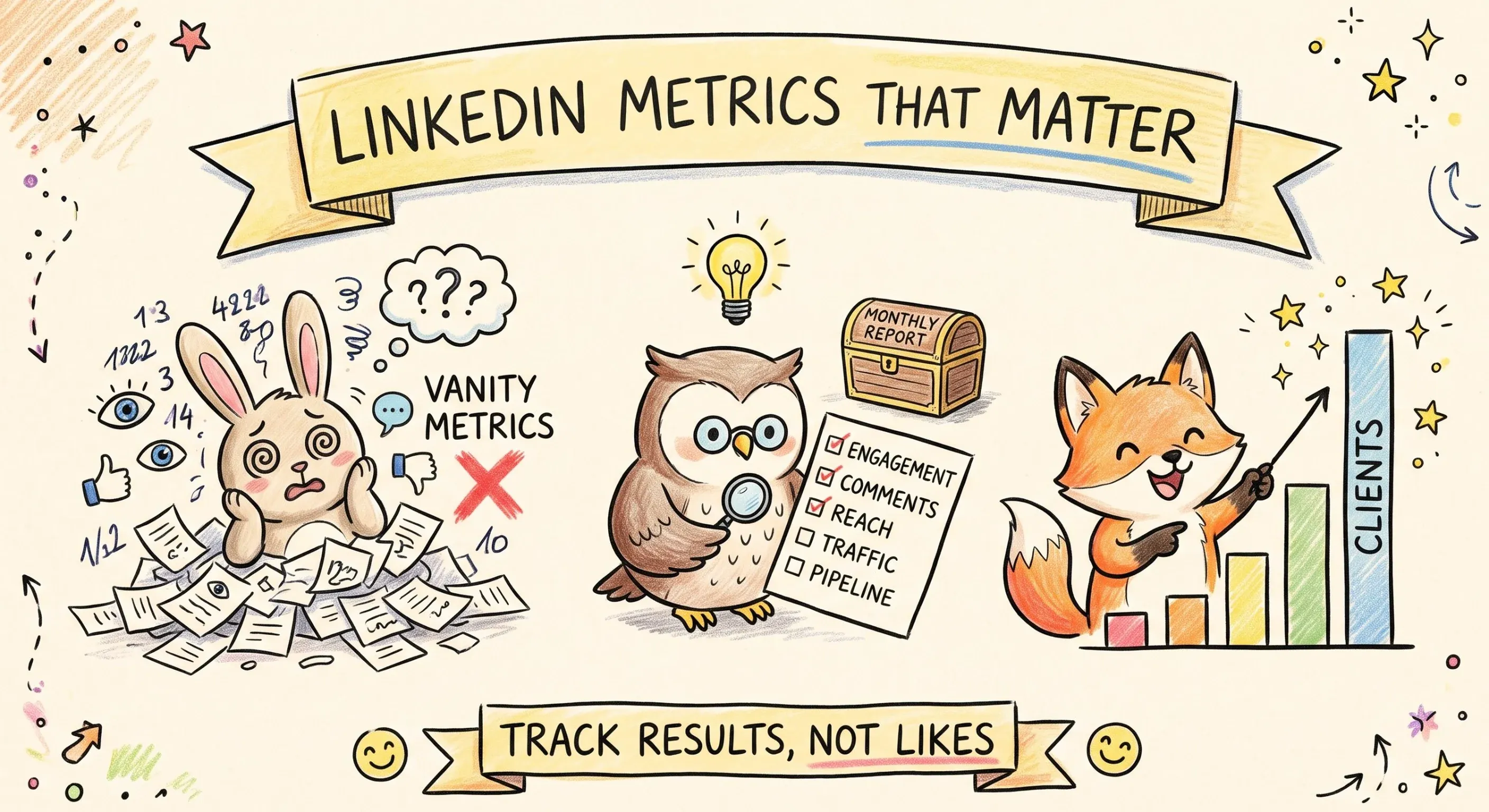
You open the "Analytics" tab on your LinkedIn profile, you see a dozen graphs going up and down, and you still don't know if your content is working. It's not you: LinkedIn highlights vanity LinkedIn statistics (raw impressions, Social Selling Index, number of followers) that fluctuate a lot and explain little about your actual results. The right question is not to look at more numbers, but the right ones.
Here you will find the five LinkedIn statistics that have a real link with visibility and clients, the 2026 benchmarks to know if your numbers are within the norm, the exact place to find them on LinkedIn, and the method to build a monthly tracking table without spending hours.
Why Most LinkedIn Statistics Are Useless
LinkedIn displays, in its native tab, about thirty different indicators depending on whether it's a personal profile or a company page. Most of them tell an incomplete story when taken in isolation.
The Social Selling Index Trap
The SSI measures your activity on LinkedIn (complete profile, connections, interactions), not the impact of your content. A high score guarantees neither more views nor more clients. It remains useful for a salesperson structuring their prospecting, much less for judging a content strategy.
The number of followers poses a similar problem: it rises slightly each month, even without publication, and says nothing about the share of these followers who actually see your posts. The raw impressions of an isolated post are too volatile to serve as a decision base, since a single post that exceeds your usual audience skews the entire month's average.
Which LinkedIn Statistics to Follow to Measure Your Performance?
Five LinkedIn statistics are enough to judge your performance: engagement rate by post format, comment rate, reach relative to your audience size, traffic generated to your site, and attributed sales pipeline. Other indicators (SSI, number of followers, raw impressions) mainly serve to reassure.
Engagement Rate by Format
The engagement rate (reactions, comments, and shares, divided by impressions) varies greatly depending on the post format. The 2026 benchmarks from Socialinsider, calculated on over a million posts, show that the native document (the PDF carousel) remains the most engaging format, followed by multi-image.
| Format | Engagement Rate 2025 | Engagement Rate Q2 2026 |
|---|---|---|
| Native Document | 7.00% | 6.60% |
| Multi-image | 6.45% | 6.90% |
| Video | 6.00% | 5.90% |
| Image | 5.30% | 5.20% |
| Poll | 4.20% | 4.50% |
| Text Only | 4.50% | 3.95% |
| External Link | 3.25% | 3.30% |
If your rate on a given format remains significantly below these figures for several weeks, the problem is probably the format or the chosen topic, not the writing of a particular post. Source: LinkedIn 2026 benchmarks by Socialinsider.
Comment Rate
The comment is the signal that LinkedIn's algorithm weighs the most because it extends the conversation on the platform itself. A simple benchmark: about 1 comment per 100 views is correct, 3 per 100 is good, and beyond 5 per 100, it's excellent, according to Ruche Pollen agency.
This rate can be directly influenced: an open question at the end of a post, a stance that invites reaction, or a systematic response to the first comments within an hour of publication.
Reach Relative to Your Audience
A number of impressions means nothing in absolute value: 800 impressions are excellent for an account with 2,000 followers, mediocre for an account with 50,000. The right reflex is to relate your average impressions per post to your number of followers, then track the evolution of this ratio over time rather than its raw value at a given moment.
13.90%
average engagement rate all formats, 2026
-10%
change in average impressions per post, 2026
2.34 / week
average publication frequency, 2026
These figures, measured by Metricool on its 2026 panel, confirm an underlying trend: LinkedIn is becoming more selective about who sees what, but those exposed interact more than before.
Traffic Generated to Your Site
Each link out of LinkedIn to your site should carry a UTM parameter (utm_source=linkedin) to appear distinctly in Google Analytics. Without this tagging, this traffic gets lost in the "social networks" or "direct" category, and you lose the ability to know which post actually brought visitors.
Attributed Sales Pipeline
The last link, often forgotten: tag in your CRM the prospects who mention LinkedIn as a source, then divide the attributed revenue over 90 days by the time or budget invested. A ratio below 200% indicates that the content angle or targeting needs to be reviewed, not just publishing more.
Where to Find These Statistics on LinkedIn
The good news: the five indicators above can almost all be read in LinkedIn's free offering, without Premium or Sales Navigator.
Personal Profile: Analytics Tab
Under your profile picture, the "Content Activity Analytics" block displays impressions per post, the number of views, and interactions. In creator mode, a more detailed "Analytics" tab breaks down the audience by position held and by sector.
Company Page: Analytics Tab
In the page administration, the "Analytics" tab is divided into four blocks: Visitors, Updates (performance per post), Followers, and Leads if lead generation forms are active.
Monthly Export
Both interfaces offer an export over 1, 3, 6, or 12 months. A monthly export is enough to feed a tracking table without relying on screenshots.
How to Read These Numbers Without Mistakes
Most bad decisions come less from a lack of data than from a misreading of that data.
First mistake: judging an isolated post. A post can underperform for reasons unrelated to its content, such as an unfavorable publication time or news that saturates feeds that day. Observe a trend over 30 days rather than a single post.
Second mistake: comparing yourself to much larger or older accounts than yours. The only relevant comparison is yourself, month after month.
Third mistake: checking your statistics too often. A weekly check for an active personal profile, monthly for a company page, and quarterly for the attributed sales pipeline is enough to spot trends without falling into daily number anxiety.
Building a One-Page Monthly Tracking Table
An effective tracking table remains short. Four blocks are enough: the company page (impressions, engagement rate, net followers), the ambassadors' profiles if you have any (impressions and comment rate of leaders or the team), traffic (sessions and conversions tagged utm_source=linkedin), and the pipeline (opportunities tagged "LinkedIn" in the CRM, with their value).
To go beyond these descriptive statistics, the Suma AI analytics page automatically tracks performance by day, week, or chosen period, without manual re-entry. It integrates with post generation from monitoring and automatic scheduling: you see what works, and you adjust what goes into the queue.
Frequently Asked Questions
Once a week for an active personal profile, once a month for a company page, and once a quarter for the attributed sales pipeline. Checking more often does not improve decisions and mainly exposes you to short-term variations without significance.
To Go Further
These three articles delve into levers that directly influence the statistics you just saw: the time of publication, comments, and the algorithm's functioning.


Key Takeaways
The LinkedIn statistics that matter are those that approach a concrete result: engagement by format, comment rate, reach relative to your audience, traffic to your site, and attributed pipeline. The rest (SSI, number of followers, raw impressions of an isolated post) reassures more than it informs.
Want to publish regularly without spending your evenings compiling numbers? Start for free, no credit card required.